
For an estate no one has fully mapped
Find the accounts missing from your register.
Bring known accounts, recorded access and available history into one review. Use Radar to surface candidate profiles, then confirm which belong to your organisation and which gaps still need an owner.
A wider picture to verify.
Where accounts fall out of view
Which accounts have no clear owner?
Launches, regions and agency relationships can add accounts or permissions outside the current register. Review each handover and keep missing ownership or access visible until the right team can confirm it.
The logins are scattered. So is control.
The main page is with marketing. A regional business manager belongs to a former agency. A campaign account is known only to the person who launched it. Each team has a piece of the estate, and nobody has the full map.
The account survived. The context did not.
A rename, a handover or an old admin role loses its explanation as people move on. Today’s access list cannot tell the whole story. Available event records and past decisions need to be reviewed alongside it.
The missing account might be yours.
A profile using your brand could be an old market launch, an approved partner or an impersonator. If it never made the spreadsheet, start by establishing the relationship instead of assuming what it is.
Agree the discovery scope
Six social platforms.
One review of responsibility.
Start with Facebook, Instagram, TikTok, YouTube, LinkedIn and X. Review the business connections behind each account and the gaps that still need investigation.
- TikTok
- YouTube
- X
Account and permission coverage depends on the platform and the business connections you authorise. Agree the review scope and record any sources that remain unavailable.
How handles supports the review
Connect the record. Verify what is missing.
Pulse connects known accounts and recorded access. Available history adds context to the review. Radar finds candidate profiles beyond the register, which your team can investigate before classifying them.
Before discovery
Start with the pieces you have.
Bring the current account list, known business managers and the teams and agencies behind them. Include old handover documents and available platform records. Agree the brands, regions and platforms in scope, with missing connections recorded from the start.
What your team takes forward
- Known accounts and business connections listed
- Current owners and former partners identified
- Missing access and historical evidence noted
During reconciliation
Connect the records. Investigate the gaps.
Map the accounts and observed roles available through your authorised connections. Review the history you can verify, and compare Radar’s discoveries with the existing inventory. Confirm who operates each account before classifying it as official, partner-run, inactive or a potential infringement.
What your team takes forward
- Accounts connected to a brand and responsible team
- Candidate accounts separated from confirmed ownership
- Available history and unresolved questions retained
As the estate changes
Give the next team a record they can use.
Assign the remaining ownership and access reviews. Agree which legacy accounts to keep, rename or retire, then coordinate approved changes. Keep the account record connected to new teams, partners and observed permissions so the next handover starts with context.
What your team takes forward
- Open findings assigned to responsible owners
- Legacy account decisions documented
- Future reviews start from the connected register
From separate records to a connected register
Keep unanswered ownership questions visible.
Keep the account, its source and the next decision together. Show confirmed ownership separately from relationships that still need checking.
In the main account list
Who else has admin access?Official account · Review observed roles
In a former agency’s handover
Does the old contact still control it?Legacy channel · Handover review open
Found beyond the inventory
Regional launch or unapproved use?Radar candidate · Verify the relationship
The connected record in Pulse
See account relationships and available history.
Pulse brings the estate-mapping functions of Footprint together with account and access records. Review the current view and the history available from each source.
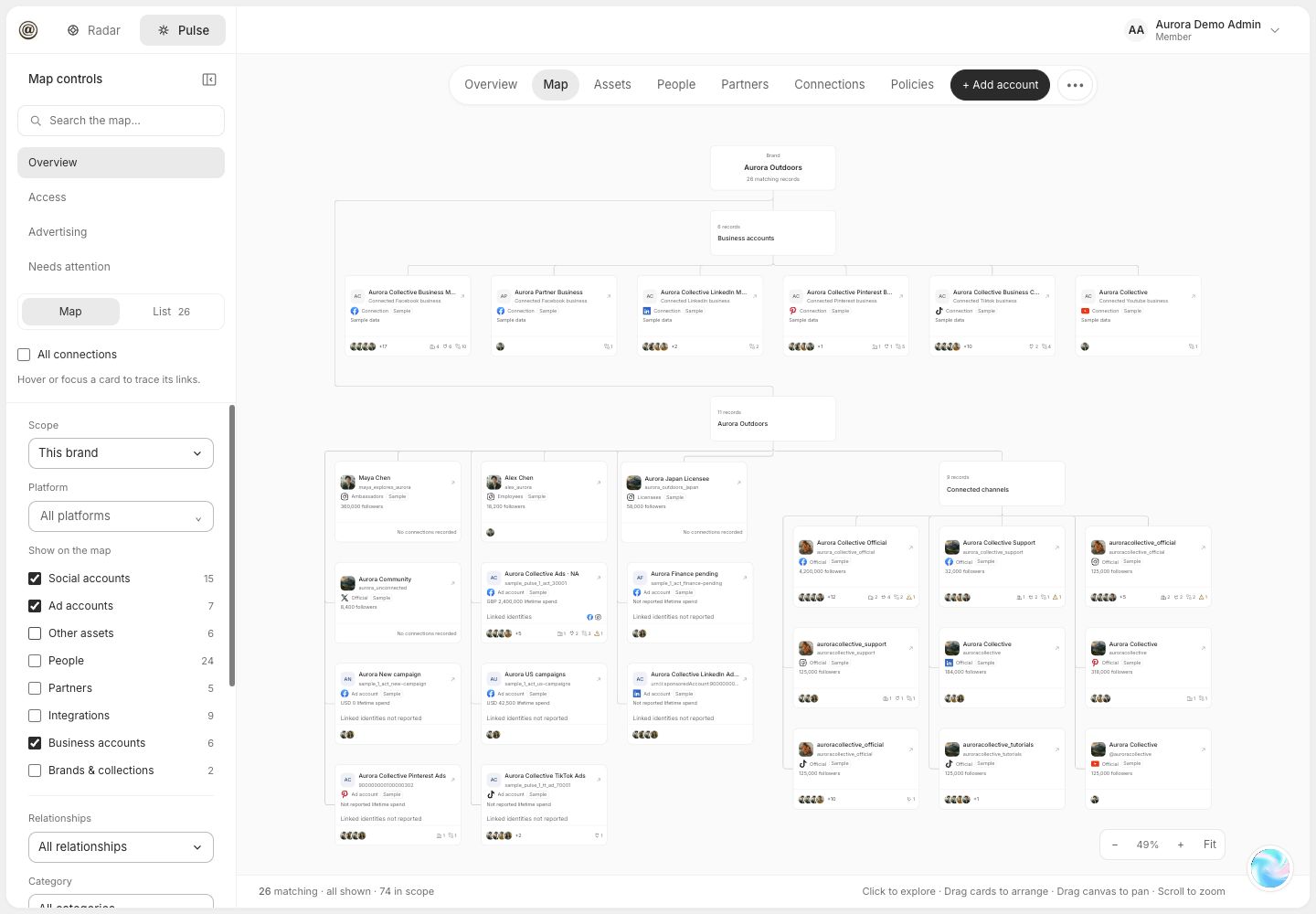
See the relationships behind the list.
Business connections, social channels, ad accounts and people share the same map. Follow the recorded associations to understand where an account sits in the organisation.
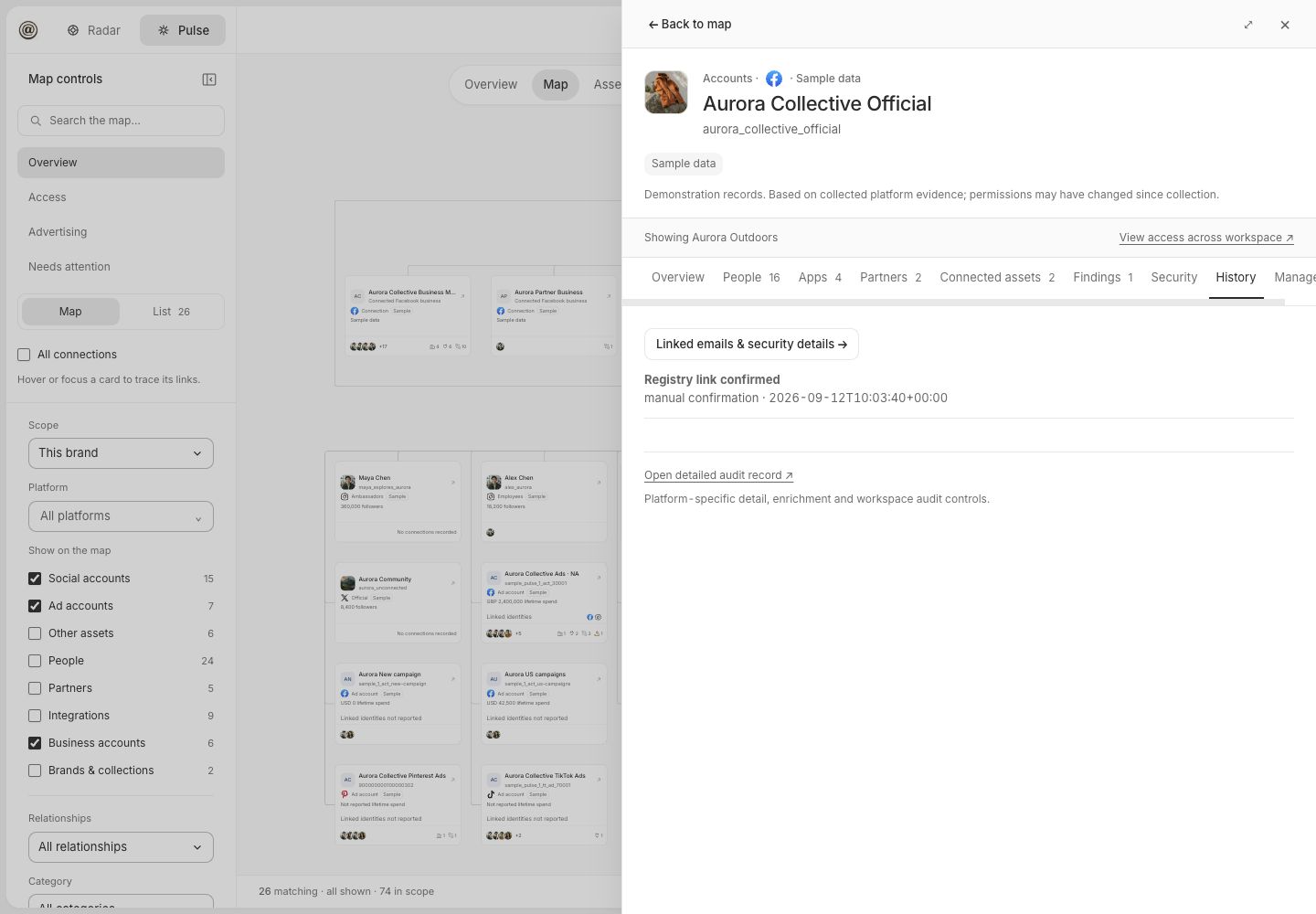
Keep the history you can evidence.
The account record keeps available history in context. This sample shows a dated registry-link confirmation. Check the source and period covered before drawing conclusions about earlier access.
Radar · Beyond the registered estate
Check profiles found outside your register.
Radar can surface profiles your team has not registered, as well as suspected impersonation. Check a regional page with the local team. Check a campaign handle with the agency. Keep legitimate partners distinct from accounts misusing your identity.
Explore discovery in Radar- 01
Find the candidate
Review the profile, branding and observed activity.
- 02
Confirm the relationship
Ask the relevant team or partner for evidence of ownership and control.
- 03
Choose the next step
Add a verified account, retain an open question or review a potential infringement.
Before the review begins
Start with what you know.
Be clear about what you do not.
Do we need a complete account list to start?
No. Bring the accounts, business managers and agency contacts you know, together with any useful handover records. Pulse connects the known estate; Radar can surface additional public profiles to investigate. Missing ownership and access remain open questions until the evidence supports a decision.
Can Radar find legitimate accounts we have forgotten?
Radar discovers candidate profiles associated with your brand, including regional, campaign and partner accounts absent from the current inventory. A matching name or logo does not establish ownership. Confirm the relationship with the relevant team or partner before adding an account to the verified estate, monitoring it or considering an enforcement response.
How far back can we see access and account history?
That depends on the connected source, the records available and when observation began. Review the history Pulse has recorded alongside any available platform logs and handover evidence. Agree the event coverage and retention during scoping; missing events cannot be reconstructed as a complete historical access log.
Will handles recover old passwords or log into every account?
handles does not collect or recover passwords. Authorised business connections reveal the accounts and permissions those connections can access. Where an account is inaccessible or the owner is unclear, the review records the gap and the next step. Any recovery or administrative work is separately scoped and subject to platform rules.
Where does Footprint fit into the estate review?
Footprint’s estate register, ownership mapping and account lifecycle functions are now part of Pulse. Use that shared record to organise official accounts by brand, region and responsible team, alongside observed access and the history available for each record.
Does discovery make the account changes for us?
Discovery establishes what exists, what is known and what needs resolving. Your teams approve ownership, retention and access decisions. Back Office can support separately scoped administrative changes through the access you authorise, while Pulse keeps the connected estate and outstanding findings in view.
From scattered accounts to a reviewed register
Give each account an owner or a next step.
Bring the accounts you know, the handovers you have and the questions nobody has answered. We’ll help you map the estate and agree what needs resolving.