By situation · ISO/IEC 27001:2022
Bring social access into your ISO review.
Your social accounts are business assets. Pulse shows which connected accounts you have, who can reach them and where access needs review, so your security team can address a gap that often sits outside its usual inventory.
Support for selected controls. Your organisation determines its ISMS scope, control choices and certification.
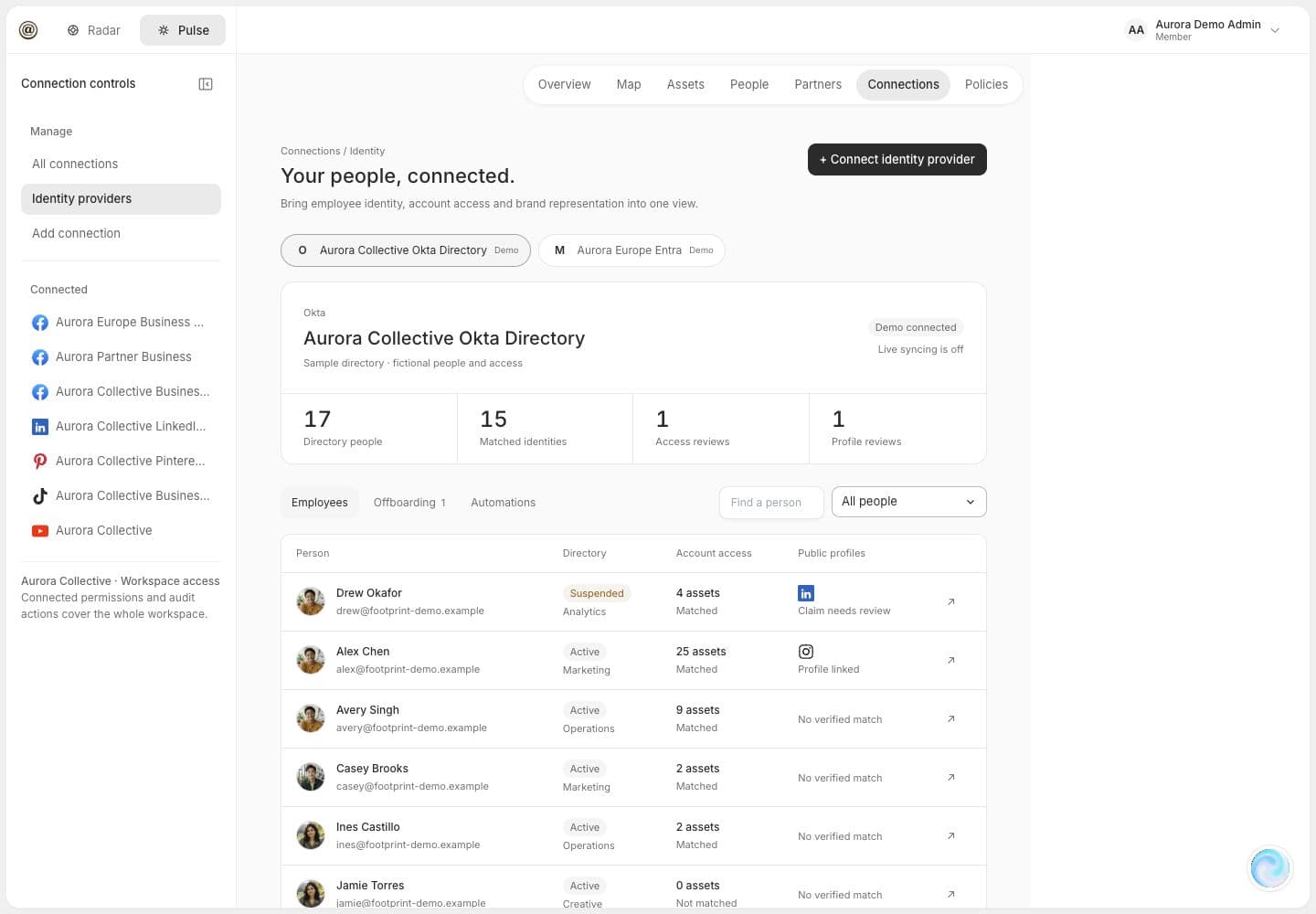
The overlooked control surface
The ISMS can only govern the social estate it can see.
Marketing, agencies and regional teams create accounts and grant permissions in separate business managers. A joiner or leaver process in your directory does not, by itself, prove the matching social roles were reviewed.
Pulse connects the records you authorise, compares observed permissions with your identity context and shows what still needs a decision. That gives the asset owner a practical route from an unknown role to a reviewed exception.
Selected Annex A references
Where Pulse can support the control review.
ISO/IEC 27001 sets ISMS requirements; ISO/IEC 27002 provides control guidance. These examples show useful evidence for a social estate in scope, not a claim that Pulse satisfies a control on its own.
Inventory of information and other associated assets
Bring connected business managers, social accounts, pages and ad accounts into one estate view, alongside the team or owner recorded for each asset.
Confirm which assets are official, name an accountable owner and record any platform or account still outside the connection scope.
Access control and access rights
Review observed users and roles by account. Surface dormant, personal-email or over-privileged access for the owner to assess.
Set the permitted role for each person, approve changes and verify the resulting access in the native platform.
Identity and employment changes
Compare connected platform roles with approved directory and HR context to flag a leaver, mover or contractor who may still hold access.
Validate each identity match and employment status, then coordinate and verify any access removal or role change.
Privileged access rights
Make administrator and other elevated roles visible across the connected estate, with risky permissions prioritised in a report.
Define who needs elevated access, review exceptions and retain evidence of the approved outcome.
Your risk assessment and Statement of Applicability determine which controls apply. See our notes on ISO/IEC 27001 requirements and control guidance, then check the applicable standard text with your assessor.
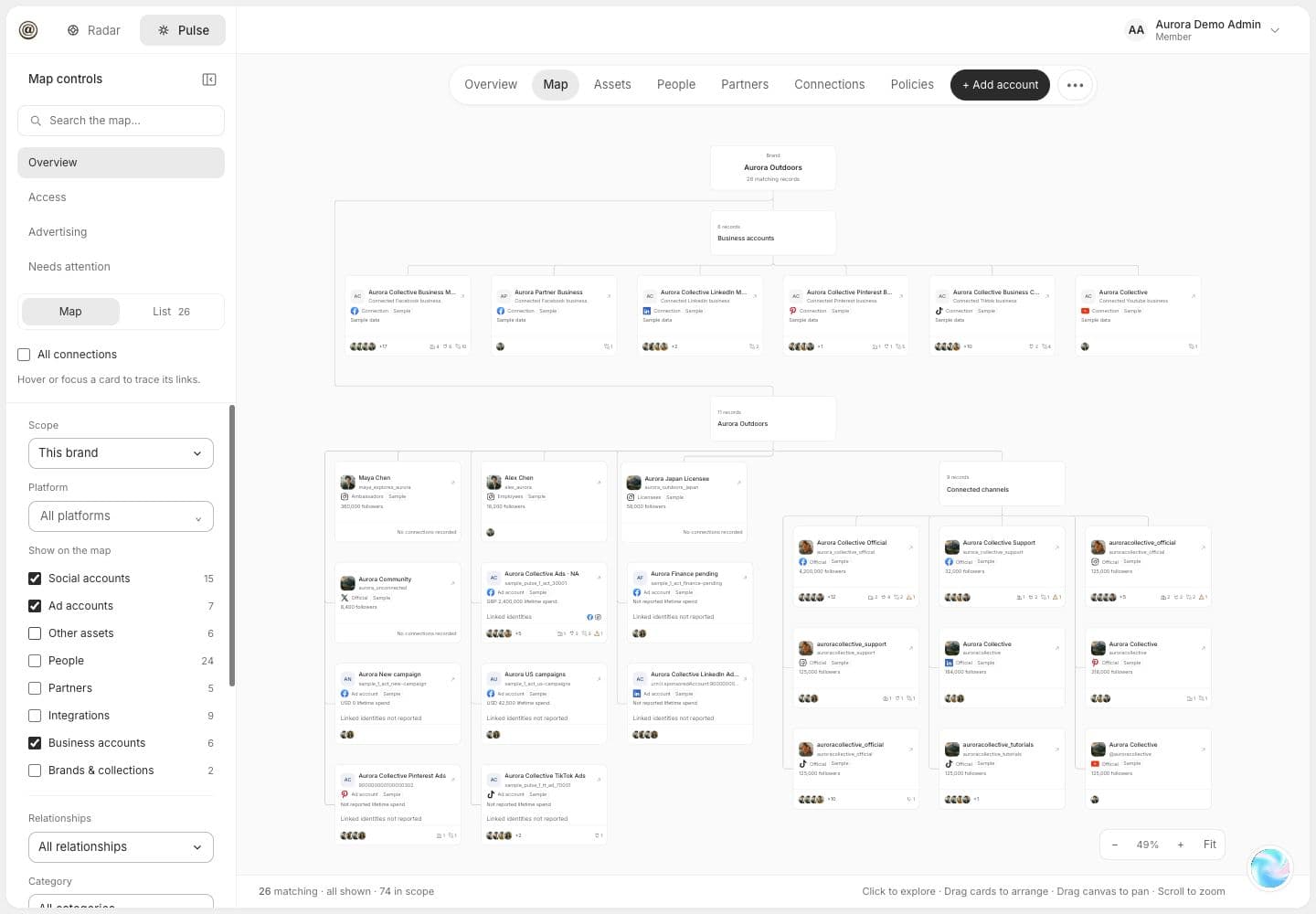
Make the review tangible
From a spreadsheet of accounts to a connected view.
Follow a business manager to its pages, ad accounts and people. Then inspect the observed role, its source and when it was last seen. Pulse makes the questions visible; your teams confirm the answers.
- Connected asset and role inventory
- Identity mismatches to investigate
- Ranked findings with next steps
Speed to an initial view
Live in hours. Stronger with each review.
Initial findings can be generated within hours after approved business and identity connections are in place. Agree what is in scope and note what could not yet be observed.
Set the boundary
Choose the brands, accounts, regions, platforms and identity sources in scope. Keep missing connections visible; they are not evidence of no risk.
Connect and reconcile
Authorise available platform and identity integrations. Pulse maps assets and observed roles against the workforce context you provide.
Review and retain decisions
Work through ranked exceptions with the asset owners. Record the finding, responsible person and verified outcome for your own control review.
For the security team
What this support means in practice.
Does Pulse make us ISO/IEC 27001 certified?
No. ISO/IEC 27001 certification concerns your organisation's information security management system, its defined scope and how its controls operate. Pulse can help you identify and review social assets and access within that system; it does not replace your risk assessment, Statement of Applicability, policies or independent audit.
Do all of these Annex A controls have to apply to us?
No single list applies automatically to every organisation. Your team selects and justifies controls through its risk assessment and Statement of Applicability. The mapping here is a starting point for the social assets you choose to include.
Does Pulse revoke access across every social platform?
Pulse identifies observed access and gives owners a prioritised review. The available data and connection permissions differ by platform. Your team must approve and verify access changes in the relevant platform or through an authorised, separately scoped process.
How quickly can we get a first view?
Initial connected findings can be available within hours once the approved business and identity sources are connected. Coverage and insight improve as more assets are connected and reviewed. Confirm the platforms, permission scope and any missing data during setup.
Start with the assets you know
Close the visibility gap in your next access review.
See the connected social estate, prioritise the risky roles and agree which controls your team needs to evidence.