Our Mission
Social media has undergone a major transformation
Partners
We are partners with industry leaders
Customers
Updating brand assets across accounts is a nightmare.
Our Mission
Social media has undergone a major transformation
Partners
We are partners with industry leaders
Customers
Updating brand assets across accounts is a nightmare.
Our Mission
Social media has undergone a major transformation
Partners
We are partners with industry leaders
Customers
Updating brand assets across accounts is a nightmare.
How to Audit Social Media Permissions

Handles Newsroom Team
Written by

Quick Summary
A social media permissions audit examines who can access your accounts and what that access allows them to do. This guide covers the process of auditing permission levels across platforms, identifying security gaps, and implementing role-based controls.
The Permission Problem Nobody's Solving
Your former agency still has admin access to your Meta Business Manager. So does your previous CMO, who left eight months ago. And there's a "jsmith_contractor@gmail.com" in your TikTok admin list that nobody on your current team recognizes.
Handles has audited permission structures for enterprise brands managing hundreds of social accounts, and we find orphaned access in virtually every engagement. Permissions get granted during onboarding, campaigns, and agency relationships, but they rarely get revoked when those relationships end.
Manual tracking fails because permissions change faster than spreadsheets get updated, and quarterly reviews can't catch threats that emerge in hours. This Handles guide provides a framework for auditing permissions, right-sizing access levels, and building governance that scales.
Why Listen to Us
Permission management is where we see the gap between manual processes and enterprise reality most clearly. A brand with 200 social accounts across 15 markets, three agencies, and constant team turnover cannot maintain accurate permission records through spreadsheets.
The math doesn't work.
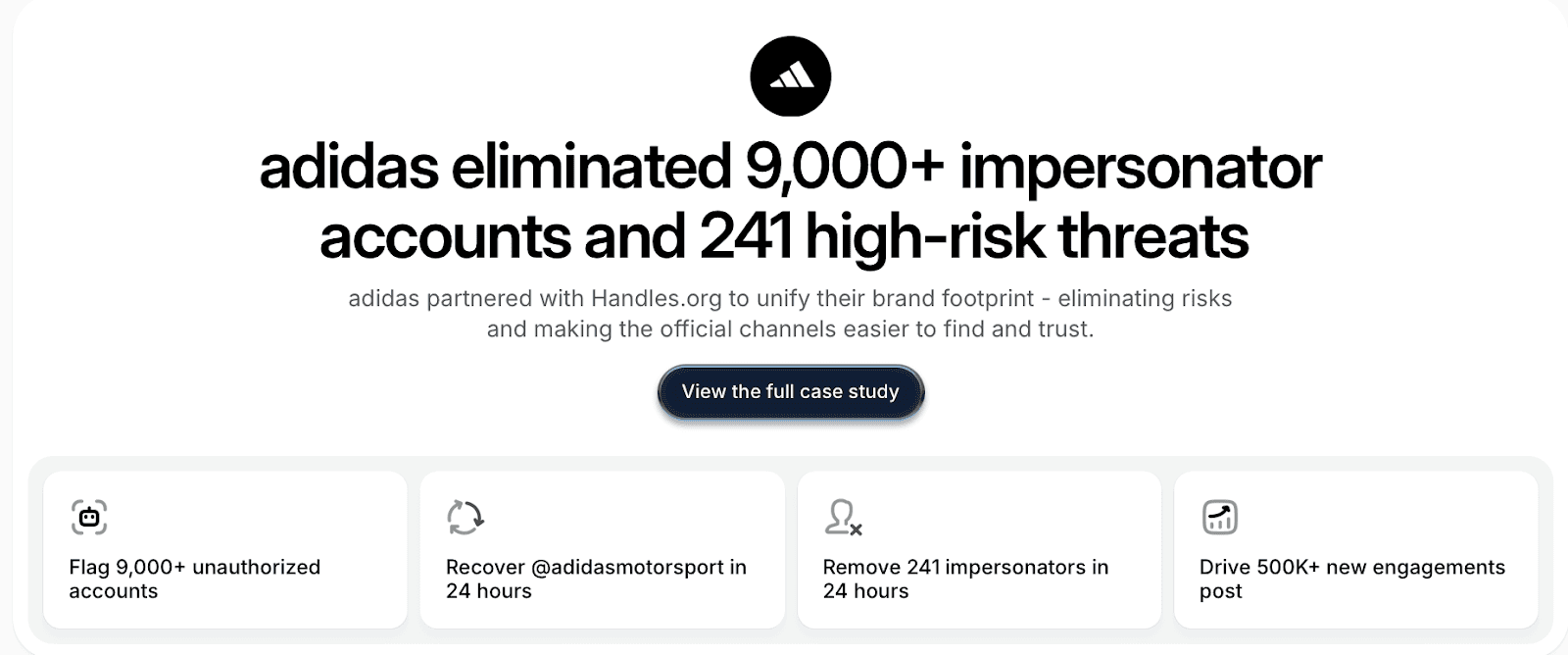
Handles exists because we watched sophisticated organizations struggle with a problem that manual processes fundamentally cannot solve at scale.
What Is a Social Media Permissions Audit?
A permissions audit systematically reviews three questions for every social account you control: Who has access? What can they do with that access? Does their permission level match their actual role requirements?
Social platforms have granular, platform-specific permission structures that don't translate across systems. Understanding what each tier actually allows is essential before you can assess whether someone's access is appropriate.
Platform | Access Tiers | Key Distinctions |
Meta Business Manager | Admin, Employee, Finance Analyst, Finance Editor, Partner | Admin can delete pages and remove other admins. Finance roles see billing but can't post content. |
Super Admin, Content Admin, Analyst | Super Admin controls billing and can remove other admins. Content Admin can post but can't access financial data. | |
TikTok | Admin, Operator, Content Creator, Analyst | Admin can remove other admins. Operator cannot. |
YouTube | Owner, Manager, Editor, Viewer | Owner can delete channel entirely. Manager can add/remove people but not delete channel. |
X | Admin, Contributor | Admin controls account settings and can remove access. Contributor can post and schedule. |
Wrong permissions create real consequences: deleted content, unauthorized ad spend, compliance violations, and security breaches. The risk increases with the gap between granted permissions and required permissions. An overpermissioned user who gets phished gives attackers capabilities far beyond what that person's job required.
When to audit:
Quarterly for high-growth teams or organizations with frequent turnover
Immediately after layoffs, restructuring, or agency changes
After any security incident (compromised accounts almost always trace back to permission gaps)
Before compliance audits where SOC 2 or GDPR requires documented access controls
When team members change roles internally (promotions rarely trigger permission reviews)
Before You Begin: Prerequisites
A permissions audit requires preparation. Gather these before starting:
Admin access to all social accounts (you can't audit what you can't see)
Current org chart with clear role definitions and reporting lines
Contractor and agency list including anyone external with social access
HR system access for verifying current employment status
Audit template or spreadsheet for documenting findings
The manual process takes 3-5 hours per platform for a thorough audit. Organizations using Handles complete the same audit in approximately 20 minutes because the platform automatically surfaces permission anomalies across all connected accounts.
Who should lead? IT Security or Marketing Operations works best. You need someone who understands both technical access controls and the practical realities of social media workflows.
The 4-Phase Social Media Permission Audit
Phase 1: Map Your Account Inventory
Before auditing permissions, you need a complete picture of what accounts exist. Enterprise brands consistently discover accounts they didn't know they had during this phase.
Start by documenting every account you actively manage across Facebook, Instagram, LinkedIn, X, TikTok, YouTube, and any other platforms where your brand operates. For each account, record the platform, account name, URL, stated owner, purpose, and whether it's actively used.
Then search for accounts you might have missed. Search your brand name on Google and within each platform's native search. Look for regional variations, old campaign accounts, product-specific pages, and accounts created by former employees or agencies. Include dormant accounts in your inventory. An unused account with valid credentials is still a security exposure.
Document the purpose of each account: customer service, regional marketing, product launches, employer branding, executive thought leadership. This context determines who actually needs access and at what level.
⚠️ Manual limitation: Account inventories become outdated the moment you finish creating them.
Campaign accounts get spun up and forgotten, acquisitions bring unknown accounts into your portfolio, and agencies create pages on your behalf without telling you. The maintenance required to keep a manual inventory accurate rarely survives contact with actual workloads.
Phase 2: Audit Current Permissions
This is the core of the audit. For each account in your inventory, document everyone with access and what permission level they hold.
Navigate to the access management settings for each platform. The location varies:
Meta: Business Settings → People or Page Roles
LinkedIn: Admin tools → Page admins
X: Settings → Your account → Team and access
TikTok: Settings → Manage account → Manage users
YouTube: Studio → Settings → Permissions
For every user with access, record their name, email, permission level, and job function. Then ask three questions:
Should this person have access at all? Compare against current employees, active contractors, and approved agencies. Former employees, completed contractors, and previous agencies should have no access.
Is their permission level appropriate? Does your content coordinator actually need Admin access, or would Editor suffice? Default to the minimum permission level required for someone's actual job responsibilities.
Are security controls in place? Check whether two-factor authentication is enabled, especially for Admin and Manager roles. Verify that account passwords are stored in a centralized password manager rather than individual devices or Slack threads.
Remove access for anyone who shouldn't have it. Downgrade overpermissioned users to appropriate levels. Enable 2FA for any accounts where it's missing. Update and centralize passwords.
⚠️ Manual limitation: This phase is where manual audits consume the most time and where errors most commonly occur.
Checking permissions across five platforms for 50 accounts means navigating 50 different settings pages and manually comparing each user list against your HR records, and a single missed entry becomes a security gap.
Handles automates this comparison by ingesting your org chart and HR data, then checking it against live permission data across all platforms to flag orphaned access, overpermissioned users, and role mismatches automatically.
Phase 3: Document Findings and Remediation
Consolidate everything you discovered into a single document: current access lists, security gaps identified, overpermissioned users, orphaned accounts, and missing security controls.
Record every remediation action taken:
Access removed (who, which platform, previous permission level)
Permissions downgraded (who, from what level, to what level)
2FA enabled (which accounts)
Passwords updated (which accounts)
Dormant accounts deactivated or secured
This documentation serves multiple purposes. It provides an audit trail for compliance requirements. It creates accountability for changes made. And it establishes the baseline for your next audit, so you can identify what changed between reviews.
Phase 4: Establish Ongoing Governance
A single audit fixes current problems but doesn't prevent future ones. Governance converts a one-time project into a sustainable process.
Define standard permission levels by role. Create a matrix mapping job functions to default access levels across platforms. Executives typically need reporting access, social media managers need editor capabilities, and coordinators can usually operate with contributor permissions. Admin access should be limited to specific individuals with documented justification.
Here’s an example:
Role | Meta | TikTok | YouTube | X | |
VP Marketing | Admin | Super Admin | Admin | Manager | Admin |
Social Media Manager | Employee | Content Admin | Operator | Editor | Contributor |
Content Coordinator | Employee | Analyst | Content Creator | Viewer | Contributor |
Agency (active engagement) | Partner | Content Admin | Operator | Editor | Contributor |
Contractor (project-based) | Employee | Analyst | Content Creator | Viewer | Contributor |
New hires should receive access through a documented workflow, not ad hoc requests. Role changes should trigger permission reviews. Contractor and agency access should have defined start and end dates with automatic expiration.
Monthly reviews for high-growth or high-turnover organizations. Quarterly minimum for stable teams. Document who owns the process and what triggers an unscheduled review.
⚠️ Manual limitation: Governance policies are only as good as their enforcement. Manual processes rely on people remembering to follow procedures, flag changes, and conduct scheduled reviews, but when workloads spike, governance tasks get deprioritized.
The contractor whose project ended three months ago keeps access because nobody remembered to revoke it. Handles enforces governance automatically by monitoring permission changes in real time and alerting when access doesn't match your defined policies.
How Handles Simplifies Permission Audits
The manual process described above works for small teams with simple account structures. It breaks down when you're managing dozens of accounts across multiple platforms, with distributed teams, agency relationships, and constant organizational change.
Quick Summary
A social media permissions audit examines who can access your accounts and what that access allows them to do. This guide covers the process of auditing permission levels across platforms, identifying security gaps, and implementing role-based controls.
The Permission Problem Nobody's Solving
Your former agency still has admin access to your Meta Business Manager. So does your previous CMO, who left eight months ago. And there's a "jsmith_contractor@gmail.com" in your TikTok admin list that nobody on your current team recognizes.
Handles has audited permission structures for enterprise brands managing hundreds of social accounts, and we find orphaned access in virtually every engagement. Permissions get granted during onboarding, campaigns, and agency relationships, but they rarely get revoked when those relationships end.
Manual tracking fails because permissions change faster than spreadsheets get updated, and quarterly reviews can't catch threats that emerge in hours. This Handles guide provides a framework for auditing permissions, right-sizing access levels, and building governance that scales.
Why Listen to Us
Permission management is where we see the gap between manual processes and enterprise reality most clearly. A brand with 200 social accounts across 15 markets, three agencies, and constant team turnover cannot maintain accurate permission records through spreadsheets.
The math doesn't work.

Handles exists because we watched sophisticated organizations struggle with a problem that manual processes fundamentally cannot solve at scale.
What Is a Social Media Permissions Audit?
A permissions audit systematically reviews three questions for every social account you control: Who has access? What can they do with that access? Does their permission level match their actual role requirements?
Social platforms have granular, platform-specific permission structures that don't translate across systems. Understanding what each tier actually allows is essential before you can assess whether someone's access is appropriate.
Platform | Access Tiers | Key Distinctions |
Meta Business Manager | Admin, Employee, Finance Analyst, Finance Editor, Partner | Admin can delete pages and remove other admins. Finance roles see billing but can't post content. |
Super Admin, Content Admin, Analyst | Super Admin controls billing and can remove other admins. Content Admin can post but can't access financial data. | |
TikTok | Admin, Operator, Content Creator, Analyst | Admin can remove other admins. Operator cannot. |
YouTube | Owner, Manager, Editor, Viewer | Owner can delete channel entirely. Manager can add/remove people but not delete channel. |
X | Admin, Contributor | Admin controls account settings and can remove access. Contributor can post and schedule. |
Wrong permissions create real consequences: deleted content, unauthorized ad spend, compliance violations, and security breaches. The risk increases with the gap between granted permissions and required permissions. An overpermissioned user who gets phished gives attackers capabilities far beyond what that person's job required.
When to audit:
Quarterly for high-growth teams or organizations with frequent turnover
Immediately after layoffs, restructuring, or agency changes
After any security incident (compromised accounts almost always trace back to permission gaps)
Before compliance audits where SOC 2 or GDPR requires documented access controls
When team members change roles internally (promotions rarely trigger permission reviews)
Before You Begin: Prerequisites
A permissions audit requires preparation. Gather these before starting:
Admin access to all social accounts (you can't audit what you can't see)
Current org chart with clear role definitions and reporting lines
Contractor and agency list including anyone external with social access
HR system access for verifying current employment status
Audit template or spreadsheet for documenting findings
The manual process takes 3-5 hours per platform for a thorough audit. Organizations using Handles complete the same audit in approximately 20 minutes because the platform automatically surfaces permission anomalies across all connected accounts.
Who should lead? IT Security or Marketing Operations works best. You need someone who understands both technical access controls and the practical realities of social media workflows.
The 4-Phase Social Media Permission Audit
Phase 1: Map Your Account Inventory
Before auditing permissions, you need a complete picture of what accounts exist. Enterprise brands consistently discover accounts they didn't know they had during this phase.
Start by documenting every account you actively manage across Facebook, Instagram, LinkedIn, X, TikTok, YouTube, and any other platforms where your brand operates. For each account, record the platform, account name, URL, stated owner, purpose, and whether it's actively used.
Then search for accounts you might have missed. Search your brand name on Google and within each platform's native search. Look for regional variations, old campaign accounts, product-specific pages, and accounts created by former employees or agencies. Include dormant accounts in your inventory. An unused account with valid credentials is still a security exposure.
Document the purpose of each account: customer service, regional marketing, product launches, employer branding, executive thought leadership. This context determines who actually needs access and at what level.
⚠️ Manual limitation: Account inventories become outdated the moment you finish creating them.
Campaign accounts get spun up and forgotten, acquisitions bring unknown accounts into your portfolio, and agencies create pages on your behalf without telling you. The maintenance required to keep a manual inventory accurate rarely survives contact with actual workloads.
Phase 2: Audit Current Permissions
This is the core of the audit. For each account in your inventory, document everyone with access and what permission level they hold.
Navigate to the access management settings for each platform. The location varies:
Meta: Business Settings → People or Page Roles
LinkedIn: Admin tools → Page admins
X: Settings → Your account → Team and access
TikTok: Settings → Manage account → Manage users
YouTube: Studio → Settings → Permissions
For every user with access, record their name, email, permission level, and job function. Then ask three questions:
Should this person have access at all? Compare against current employees, active contractors, and approved agencies. Former employees, completed contractors, and previous agencies should have no access.
Is their permission level appropriate? Does your content coordinator actually need Admin access, or would Editor suffice? Default to the minimum permission level required for someone's actual job responsibilities.
Are security controls in place? Check whether two-factor authentication is enabled, especially for Admin and Manager roles. Verify that account passwords are stored in a centralized password manager rather than individual devices or Slack threads.
Remove access for anyone who shouldn't have it. Downgrade overpermissioned users to appropriate levels. Enable 2FA for any accounts where it's missing. Update and centralize passwords.
⚠️ Manual limitation: This phase is where manual audits consume the most time and where errors most commonly occur.
Checking permissions across five platforms for 50 accounts means navigating 50 different settings pages and manually comparing each user list against your HR records, and a single missed entry becomes a security gap.
Handles automates this comparison by ingesting your org chart and HR data, then checking it against live permission data across all platforms to flag orphaned access, overpermissioned users, and role mismatches automatically.
Phase 3: Document Findings and Remediation
Consolidate everything you discovered into a single document: current access lists, security gaps identified, overpermissioned users, orphaned accounts, and missing security controls.
Record every remediation action taken:
Access removed (who, which platform, previous permission level)
Permissions downgraded (who, from what level, to what level)
2FA enabled (which accounts)
Passwords updated (which accounts)
Dormant accounts deactivated or secured
This documentation serves multiple purposes. It provides an audit trail for compliance requirements. It creates accountability for changes made. And it establishes the baseline for your next audit, so you can identify what changed between reviews.
Phase 4: Establish Ongoing Governance
A single audit fixes current problems but doesn't prevent future ones. Governance converts a one-time project into a sustainable process.
Define standard permission levels by role. Create a matrix mapping job functions to default access levels across platforms. Executives typically need reporting access, social media managers need editor capabilities, and coordinators can usually operate with contributor permissions. Admin access should be limited to specific individuals with documented justification.
Here’s an example:
Role | Meta | TikTok | YouTube | X | |
VP Marketing | Admin | Super Admin | Admin | Manager | Admin |
Social Media Manager | Employee | Content Admin | Operator | Editor | Contributor |
Content Coordinator | Employee | Analyst | Content Creator | Viewer | Contributor |
Agency (active engagement) | Partner | Content Admin | Operator | Editor | Contributor |
Contractor (project-based) | Employee | Analyst | Content Creator | Viewer | Contributor |
New hires should receive access through a documented workflow, not ad hoc requests. Role changes should trigger permission reviews. Contractor and agency access should have defined start and end dates with automatic expiration.
Monthly reviews for high-growth or high-turnover organizations. Quarterly minimum for stable teams. Document who owns the process and what triggers an unscheduled review.
⚠️ Manual limitation: Governance policies are only as good as their enforcement. Manual processes rely on people remembering to follow procedures, flag changes, and conduct scheduled reviews, but when workloads spike, governance tasks get deprioritized.
The contractor whose project ended three months ago keeps access because nobody remembered to revoke it. Handles enforces governance automatically by monitoring permission changes in real time and alerting when access doesn't match your defined policies.
How Handles Simplifies Permission Audits
The manual process described above works for small teams with simple account structures. It breaks down when you're managing dozens of accounts across multiple platforms, with distributed teams, agency relationships, and constant organizational change.

Social media governance
& Infrastructure.
Social media governance
& Infrastructure.

© 2026 Handles.ai. All Rights Reserved.